Your app, imitated. Every stand‑in named.
See a React Native / Expo app’s UI without a simulator. Imitor builds it for the web, swaps native-only modules for stand-ins, and runs your flows in headless Chromium.
npm i -D github:joseamijares/imitor playwright- The imitationheadless Chromium
- Stand-in, namedreact-native-skia → skia
- Your appnative builds untouched
- Demo shot: fernwood, an invented app
Every result says what it is.
Each shot, preview and agent reply lists what came from your code, what was stood in, and what Imitor cannot show. Nothing is passed off as the real phone.
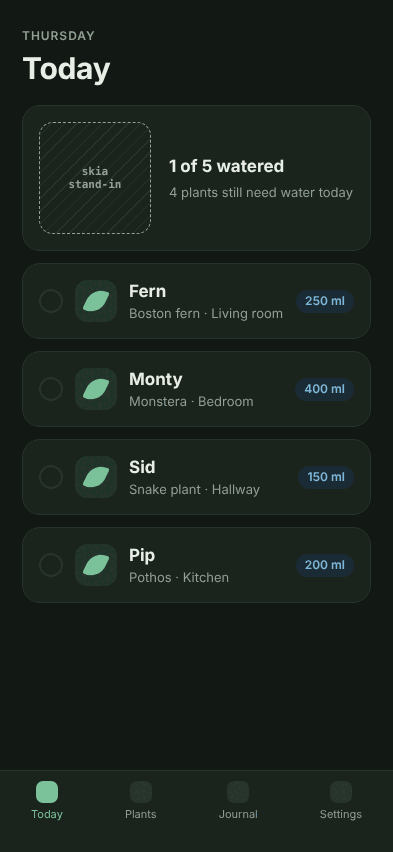
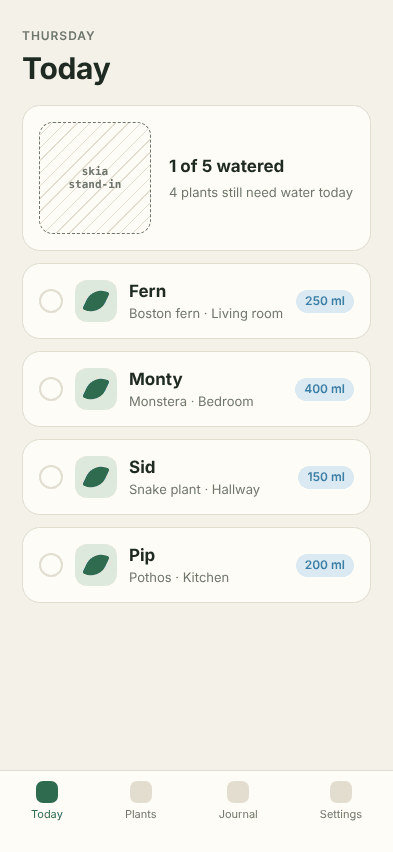
- 1Your code
Header, copy and colours
Rendered from your own components and styles.
- 2Stand-in
Watering ring
@shopify/react-native-skia→skia. The canvas keeps its box and draws nothing. - 3Stand-in
Plant list data
expo-sqlite→sqljs. Real SQLite, compiled to wasm, in memory. - 4Your code
Tab bar
Your navigator, as the web build lays it out.
- Not shown
Native transitions, gestures and the keyboard
Not shown. Check these on a real phone.
manifest.json, abridgedwritten by every run{
"file": "screens/log-a-watering-01-today-iphone-16-darklight.png",
"route": "/",
"device": "iphone-16", "scheme": "darklight",
"stubs": ["skia"]
}
From your code to a shot that says what it is.
No Mac, no emulator, no device. It runs on any Linux box, CI runner or cloud agent session. Stand-ins only apply to the web build Imitor makes; your iOS and Android builds are never touched.
-
Build for the web
imitor buildMetro, wrapped with
withImitor(), builds a static web version of the app. -
Swap in stand-ins
expo-sqlite → sqljsNative-only modules get a web stand-in, and every result names which ones.
-
Run your flows
imitor shootTaps, fills and shots in headless Chromium, once per device and colour scheme.
-
Review
imitor appRuns, captures and problems for people, or
imitor exportas a static site.
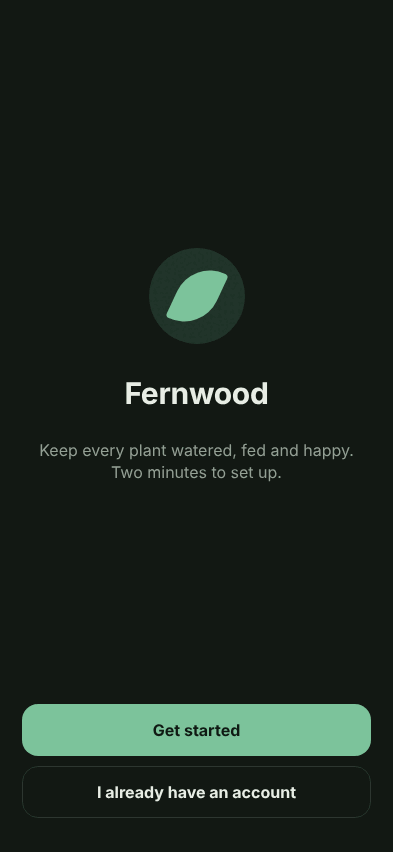
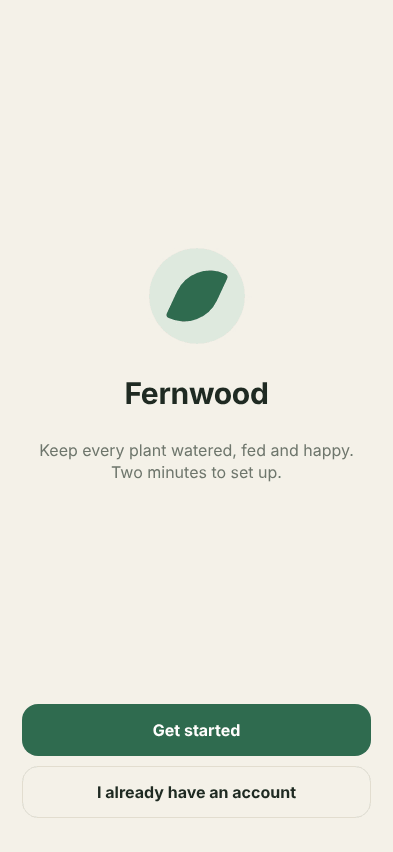
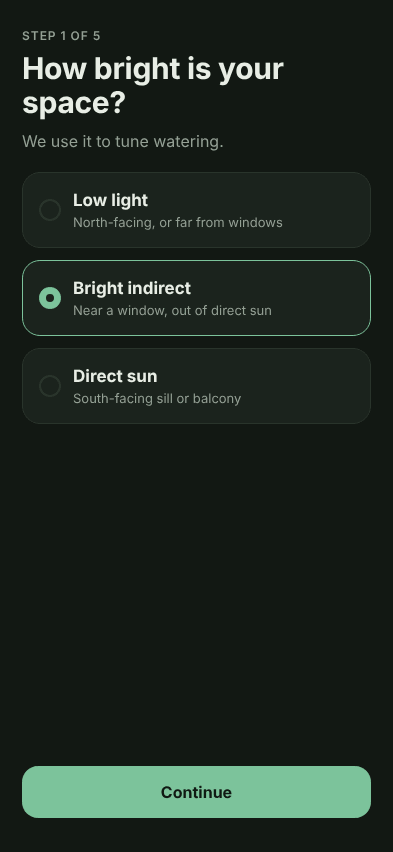
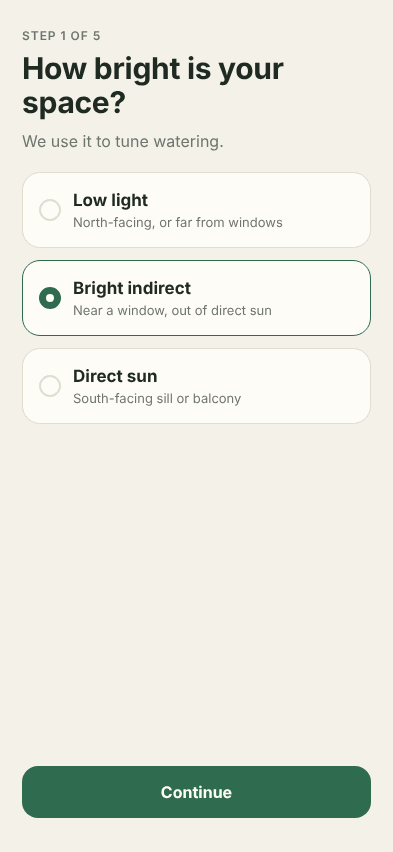
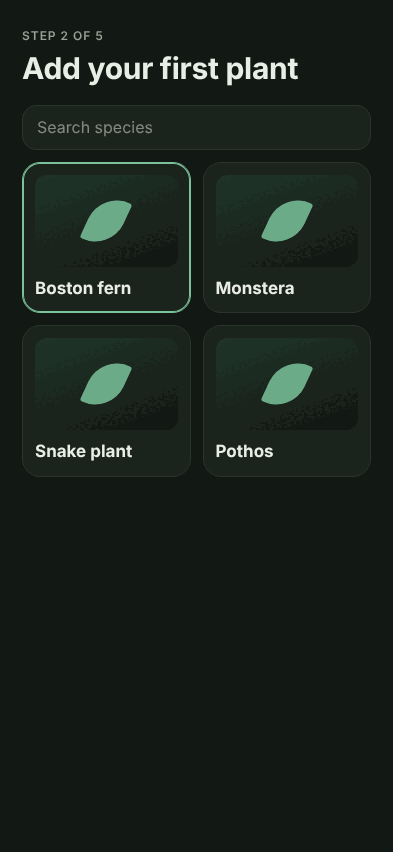
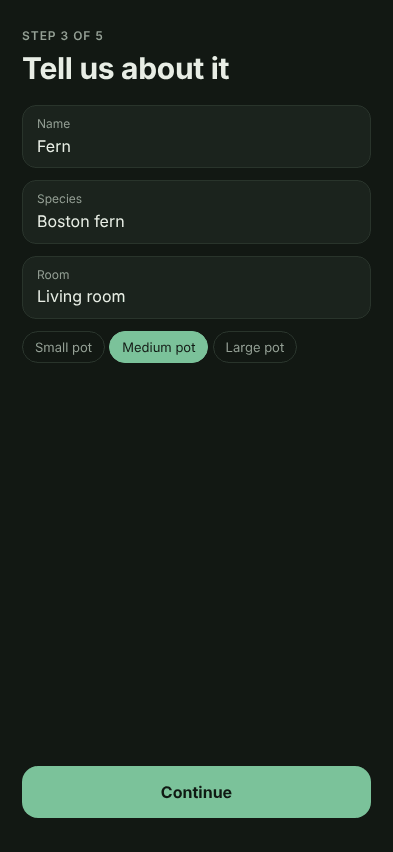
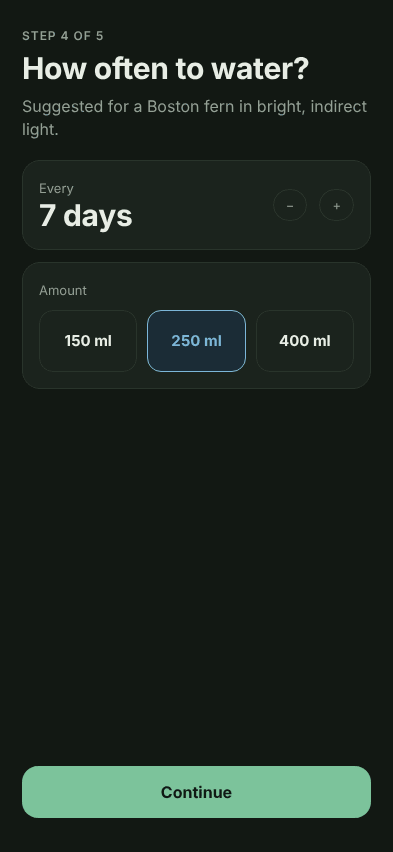
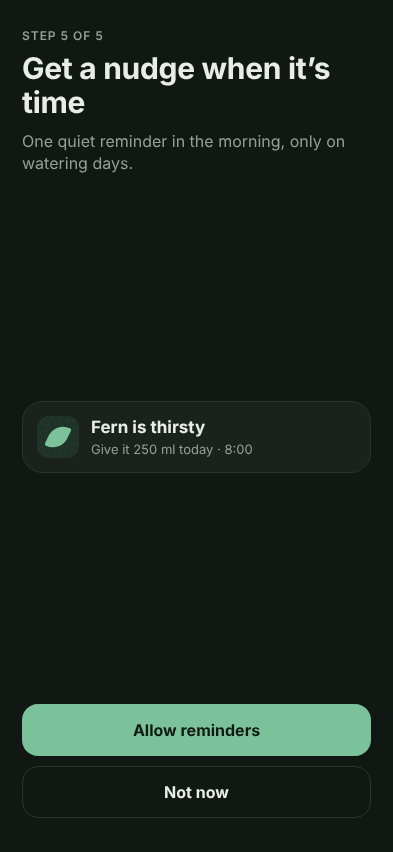
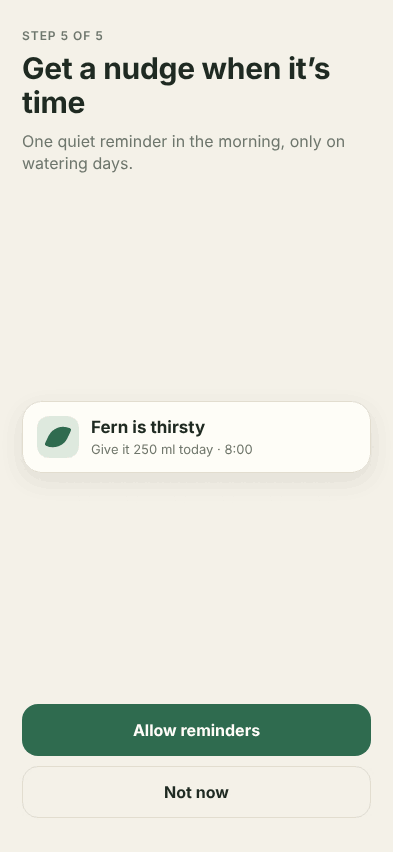
One flow, every shot, the stand-in marked.
The first-run flow of the demo app on an iPhone 16. The last shot holds the Skia watering ring, so it carries a dashed outline and the stand-in’s name.





Your agent drives it. You review it.
Seven MCP tools let a coding agent build the preview, run flows, take screenshots and record videos, then read which parts were stood in. Run these in the app’s folder.
 Claude Code
claude mcp add imitor -- npx imitor mcp Cursor, or any MCP client
npx imitor mcpcodex mcp add imitor -- npx imitor mcpimitor_initset up, 1 stand-inimitor_describe2 flows, builtimitor_buildweb build readyimitor_run_flowlog-a-watering, 4 shots, skia stand-inimitor_screenshottoday, iphone-16, darkimitor_read_problemsno failed stepsimitor_record_videofirst-run, .webmimitor_open_previewa URL a person can open
What it does not show.
Imitor shrinks what the final check on a real phone has to find. It does not replace that check.
- Native navigation chrome, transitions and gestures
- Keyboard behaviour
- The phone’s exact font rendering
- Entering and layout animations
- Anything behind a stand-in
- Platform-specific code paths: the build runs as web
- Widgets, notifications, Live Activities, watch apps
Open source. Read it, run it, change it.
Imitor runs on your machines and in your agents’ environments. Nothing is sent anywhere unless you publish it yourself.
MIT licence
- The CLI and the MCP server
- The review interface,
imitor app imitor export, to publish a run as a static site- The run format: plain JSON and PNG files
Imitor Cloud
A place where your agents and CI upload runs, and you sign in to review them from any device. It would only store and show runs, never run your code. The plan is to open-source it so you can host your own, and to offer a hosted version as a paid service. No date and no price yet.
Want it? Follow the plan on GitHub